
With the integration of technology through all walks of life, the ability to be searched for and contacted electronically is central to the development and success of a new business. With 51% of shopping being completed online, any business or supplier lacking online representation is missing out on a huge market.
Worse yet it having a website that fails frequently. Word gets around and if this happens too often, the public will begin to avoid your site. With so many alternatives being available for most kinds of businesses, even the smallest negative experience can impact on a customer’s choices. As a result, choosing the right web host can be the deciding factor in whether a business lives or dies.
What to Look for When Choosing a Host
A typical hosting deal will be sold at a low cost on signup but a much higher price when it comes to renewing the deal. These days, this is just the industry norm, and unless you are willing to change hosts on a regular basis there is no avoiding the higher renewal price. Thoroughly check over the Terms of Services when comparing prices for hosting, making sure you do a full comparison of both the signup and renewal fees.
The second area of money management for server hosting is the refund policy. Whether or not a host gives refunds when – not if – things go wrong can avoid a substantial monetary loss. It’s bad enough losing business through downtime, it’s worse losing money when it wasn’t your fault.
Some hosting companies charge excessive cancellation fees, even during their trial periods. Avoid these companies at all costs.
2. Server Reliability
Once you’ve narrowed down your choice of hosts to a few selections, server reliability is the primary requirement when making your decision. A web host must be able to offer 24/7 operation. This means operating on a powerful server with stable network connections. Any downtime means a loss in traffic and consequentially a loss in sales. For uptime, anything at or above 99.5% is acceptable; anything below 99% is not.
Uptime Robot is one of a variety of ways to view uptime info. It will supply a range of data, from response times over the last 24 hours to overall uptime over a given period.
3. Site Backup
There are going to be times when your site goes down. It could be due to a security breach, a hardware issue with the server, a lack of decent IT training from within your business or a variety of other reasons. If the host does regular site backups then there should be nothing to worry about when this happens, as the host should be able to restore your website to full working order. Always check the backup policy before signing up.
Businesses often forget to scout out available hosting features when looking for a web host. The following are key features: Auto Script Installer for easy web app installations and updates, SSI (Server Side Include) for simple site maintenance, Cron for day-to-day operations, .htaccess for security/page redirects, and FTP for easy file transfers. Try to select a host that has all these.
5. E-mail Hosting
Personalised e-mail addresses for your company, rather than generic domains (@hotmail, @gmail etc), provide an extra touch of professionalism to business-related correspondence. If you are hosting a site for business purposes, check to see if the hosting package includes e-mail hosting. There are other options (such as Google E-mail Apps) to add e-mail to your own domain, but e-mail hosting from the off removes hassle later on.
6. Customer Service
Last but by no means least, find out how a host goes about their customer service correspondence. Just like the server, customer support should be round the clock. It’s good to know that when things start going wrong, help is only an e-mail away. Some people prefer live chat, some prefer phone support. Whatever your preferred method of contact, access to support should be instantaneous; read into this before signing.
When to Go Dedicated
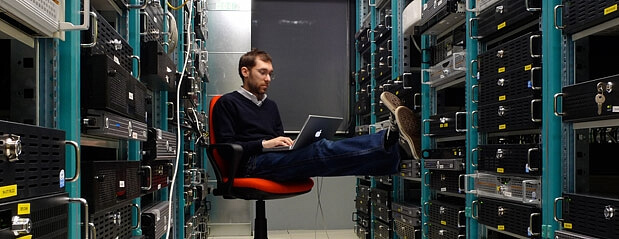
Most cheap hosting these days will be shared hosting. This means that your website is hosted on a server alongside other users. These could be a train enthusiast in France or a spammer in China. Shared servers are cheap and as such perfect for basic, low-traffic websites.
Issues arise, however, when another user puts a strain on the server through a high workload. This is known as the “bad neighbour” effect. Anyone with even basic IT training will tell you that this will often happen at peak load times; think lunchtime and dinnertime.
To avoid this, you can rent a dedicated server.
A dedicated server means a server on which only one client or business’ content is hosted. This gives you the entirety of the server’s resources. Many hosts will also allow you a large degree of customisation as you are the sole user of the server.
This often means you can choose what kind of memory, what OS (operating system) it runs, and what extensions to use. This can give a great degree of flexibility which is particularly useful if you are running any specialised software.
That’s not to say that dedicated servers don’t have some downsides. They are an order of magnitude more expensive to run. Alongside that, with greater control over the customisation comes a greater need for IT training. While not necessarily a downside, it does require more time investment.
Ideally most sites today would be hosted on a dedicated server. It stops having unpredictable downtime due to bad neighbours and the customisation capabilities are incredibly useful. The customer service also tends to be more responsive.
As a result, going dedicated is highly recommended and should be considered as a necessary cost for today’s businesses.